Build your first size chart free. Edit your product measurements, add clear sizing instructions, and share a guide that helps shoppers choose a size.
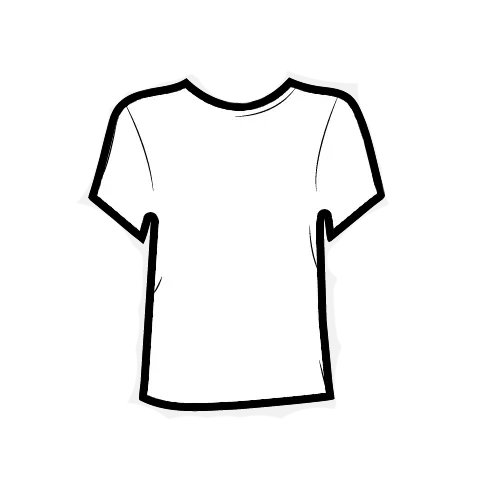
Product demonstration with example data: measure a T-shirt, create its size chart, assign the chart to a product, then show an illustrative size M recommendation. This garment measures 51 centimeters across the chest when laid flat and 70 centimeters in length. This is not a live sizing prediction.
VestofySize guide
Start with the garment
Real measurements. A clearer picture.
Classic T-shirtSize M · cm
Laid flat. Measured in centimeters.
Bring every size together
An easy-to-read guide for this T-shirt.
Classic T-shirtGarment measurements · cm
cm
Classic T-shirt · flat garment measurements (cm)
Size
Chest (flat)
Length
S
48
68
M
51
70
L
54
72
XL
57
74
Clear measurements for every size
Assign to a product
Connect your size chart to the right product.
Size chart readyClassic T-shirt size chart
cm
Choose a product
Classic T-shirtSizes S–XL
Chart assignedSize guidance for this product
Make the next choice easier
A recommendation, right beside the chart.
M
Recommended sizeClassic T-shirtIllustrative result for this sample chart
Classic T-shirt · flat garment measurements (cm)
Size
Chest (flat)
Length
S
48
68
M
51
70
L
54
72
XL
57
74
Flat garment measurements in centimeters.
1Measure
2Create
3Assign
4Recommend
Trusted worldwide and used by 450+ brands and businesses.
Online stores
Manufacturers
Designers
Merchants
Shopper experience
Let shoppers find their size their way
Give shoppers a flexible way to find their fit. They can start with height and weight or enter measurements they already know, right where they shop.
Height and weight, with age and sizing profile.
A size from a brand they already wear.
Manual measurement input, matched to your size chart.
One sizing experience on a product page, popup, or shared link.
Shoppers can choose how to find their size: height and weight with age and sizing profile, a size from a brand they already wear, or manually entered measurements. This demonstration cycles through these alternatives, then shows an illustrative recommended size M beside the size chart for a Classic shirt. No information is submitted.
My Store
Shop / Shirts
Classic shirt
Find the fit that feels like you.
Size
S
M
L
XL
Find my size
Size guidance, right where they shop.
Vestofy Find my size
By height & weight
Start with a few body details.
Height
178cm
Weight
74kg
Age
30years
Sizing profile
Female
Use body details to find a size.
M
Recommended sizeIllustrative result
My Brand Size
Choose a brand and a size that fits you well.
Choose a brand
Choose your size
SMLXL
Your brand size gives an approximate match. Fit can vary by style.
Recommend Size
M
Recommended sizeIllustrative result
I know my measurements
Enter the measurements you already know.
Chest (flat)
51cm
Length
70cm
Flat garment measurements for this shirt.
M
Recommended sizeIllustrative result
Your recommended size
A clear next step, whichever method you choose.
M
Recommended sizeClassic shirt
Classic shirt · flat garment measurements in centimeters
Size
Chest (flat)
Length
S
48
68
M
51
70
L
54
72
XL
57
74
Flat garment measurements · cm
Illustrative result · sample measurements
Height & weight
Owned brand
Manual measurements
Recommended
Features
What can Vestofy sizing solution do?
Build and publish size guidance that stays connected to products, collections, and shopper measurement workflows.
Website, QR, and link
Offer the same sizing solution through an embedded page, direct link, QR code, or storefront app.
Multiple size chart tables
Create garment-specific charts with single values, ranged values, units, and editable labels.
Fit prediction
Help shoppers match body measurements or their own favorite garment to the right size.
Editable guide images
Keep chart images, measurement instructions, and guide text aligned with each product.
Measure with camera
Use Vestofy tools to turn garment measurements into shopper-ready size guidance.
Product and collection rules
Publish default charts or assign specific charts to products, collections, and storefront rules.
Website, QR, and link
Offer the same sizing solution through an embedded page, direct link, QR code, or storefront app.
Multiple size chart tables
Create garment-specific charts with single values, ranged values, units, and editable labels.
Use cases
Who can benefit from Vestofy?
Vestofy supports sellers and makers who need size guidance beyond a static image.
Merchants
Upgrade sales channels with chart images, guide links, and product-specific assignments.
Manufacturers
Ship products with a size guide QR label and make measurements clear before purchase.
Designers
Add size charts and fit guidance to collections without rebuilding your storefront.
Online shops
Reduce size-related returns and improve buying confidence on product pages.
Merchants
Upgrade sales channels with chart images, guide links, and product-specific assignments.
Manufacturers
Ship products with a size guide QR label and make measurements clear before purchase.
Integrations
Add Vestofy to every selling path
Install the Shopify app, create charts in your browser, or measure garments with the iOS app.
Create size charts for your Shopify products and add size guidance to your storefront. Manage charts and product assignments from the Shopify app.
Getting started
Install from the Shopify App Store, open Vestofy in your Shopify admin, and follow the setup to add a size guide to your store.
Standalone Web App
Build and edit charts in your browser, assign them to products, and publish through direct links, QR codes, or an embedded guide. Use it with marketplaces or your own website.
Getting started
No download needed. Create an account, build your first chart, and use the publishing tools to get a shareable link or website embed.
Use Vestofy’s free size chart creator to build your first clothing chart. Learn what the free plan includes, how to start, and when to consider an upgrade.
FAQ
Questions about size charts, answered
Start with the essentials, then explore the complete Vestofy FAQ for chart creation, publishing, and integrations.
Vestofy is a clothing size chart creator and publishing platform for fashion brands, manufacturers, designers, and online stores. Merchants can build editable size charts, add measurement guidance, connect charts to products, and share them on a website, by direct link, or with a QR code.
How do I create a clothing size chart with Vestofy?
Open the Vestofy dashboard, start a new chart, choose a garment type or template, and enter your measurements. You can rename sizes and measurement columns, change units, add rows, include guide text or images, preview the shopper experience, and then publish when the chart is ready.
Can I assign different size charts to different products?
Yes. Vestofy can use a default chart and more specific assignment rules for products or product properties such as collections, vendors, product types, and tags. This helps a shopper see the guide intended for the item they are viewing.
How can I publish a Vestofy size guide?
A published guide can be shared through a direct URL, a QR code, an embedded page, or a storefront integration. A direct link or QR code is useful for marketplaces, social selling, packaging, labels, and other channels where you cannot install website code.
Decrease returns due to sizing issues and focus on sales.
Take a quick look at the Vestofy website add-on, or schedule a meeting for a custom sizing design.





%20scale(.35278)'%3e%3cpath%20fill='currentColor'%20d='M518.32031%20713.60547c-.95312%201.42578-2.16797%202.18359-3.52344%202.18359-.59375%200-1.21875-.14453-1.85937-.42969-.67969-.30078-1.27734-.85156-1.68359-1.55078-.40235-.69922-.5625-1.45312-.44922-2.13281.14062-.59375.45312-1.40234.8164-2.33984.94141-2.4375%202.23438-5.77735%201.11719-7.41016-.46875-.6875-1.31641-1.02344-2.58203-1.02734-1.26953.004-2.11328.33984-2.58594%201.02734-1.11328%201.63281.17578%204.97266%201.1211%207.41406.35937.9336.67578%201.74219.8125%202.34375.11718.67188-.043%201.42578-.44922%202.125-.40235.69922-1%201.25-1.67969%201.55078-.64063.28516-1.26953.42969-1.85938.42969-1.35546%200-2.57421-.75781-3.51953-2.17969l-.10937-.19531c.45312.22656%201.3164.60156%202.0625.60156.37109%200%20.72265-.11328%201.07031-.34375%201.91406-1.27343%201.26172-2.80468-.0469-5.17187-.55469-1.00391-1.125-2.03906-1.37891-3.10938-.27344-1.14843-.52344-2.82421.47656-4.08984.46485-.59766%201.17969-1.05469%202.11719-1.36328.97266-.32422%202.22656-.49609%203.72656-.51953h.48438c1.5.0234%202.7539.19531%203.72656.51953.9375.30859%201.64844.76562%202.11719%201.36328%201%201.26563.75%202.94141.47656%204.08984-.25391%201.07032-.82422%202.10547-1.37891%203.10938-1.30859%202.36719-1.96484%203.89844-.0469%205.17187.34765.23047.69531.34375%201.07031.34375.74609%200%201.60547-.375%202.0625-.60156zm-8.16406-17.29297c-6.54297%200-11.84375%205.30078-11.84375%2011.84375%200%206.53906%205.30078%2011.84375%2011.84375%2011.84375S522%20714.69531%20522%20708.15625c0-6.54297-5.30078-11.84375-11.84375-11.84375'%20/%3e%3c/g%3e%3c/svg%3e)
'%3e%3cg%20transform='matrix(1.25,0,0,-1.25,10.212881,296.53359)'%3e%3cpath%20d='m%200,0%204.34,-6.883%208.73,13.914%200,-30.822%207.52,0%200,44.834%20-7.674,0%20L%200,0%20z'%20fill-opacity='1'%20fill-rule='nonzero'%20stroke='none'%20/%3e%3c/g%3e%3cg%20transform='matrix(1.25,0,0,-1.25,-16.155619,270.22959)'%3e%3cpath%20d='m%200,0%20-7.606,0%200,-44.834%207.539,0%200,30.822%2017.116,-27.368%204.366,6.984%20L%200,0%20z'%20fill-opacity='1'%20fill-rule='nonzero'%20stroke='none'%20/%3e%3c/g%3e%3cg%20transform='matrix(1.25,0,0,-1.25,92.479381,308.90009)'%3e%3cpath%20d='m%200,0%206.958,-13.897%209.069,0%20-22.752,44.833%20-8.176,0%20-0.007,-0.014%2011.392,-23.776%20-15.138,0%203.951,7.751%20-4.121,8.423%20-19.171,-37.217%208.482,0%207.166,13.894%20L%200,0%20z'%20fill-opacity='1'%20fill-rule='nonzero'%20stroke='none'%20/%3e%3c/g%3e%3cg%20transform='matrix(1.25,0,0,-1.25,175.27888,270.22959)'%3e%3cpath%20d='m%200,0%20-7.541,0%200,-21.772%20L%200,-29.345%200,0%20z'%20fill-opacity='1'%20fill-rule='nonzero'%20stroke='none'%20/%3e%3c/g%3e%3cg%20transform='matrix(1.25,0,0,-1.25,129.78463,270.22959)'%3e%3cpath%20d='m%200,0%20-7.672,0%200,-44.834%207.544,0%200,33.501%2030.908,-33.501%205.615,0%200,5.448%20L%200,0%20z'%20fill-opacity='1'%20fill-rule='nonzero'%20stroke='none'%20/%3e%3c/g%3e%3cg%20transform='matrix(1.25,0,0,-1.25,-220.61849,864.25772)'%3e%3cg%3e%3cg%20transform='translate(369.4134,462.7811)'%3e%3cpath%20d='m%200,0%20c%20-3.591,3.729%20-9.128,6.117%20-15.34,6.117%20-9.914,0%20-18.108,-6.086%20-19.415,-13.984%20l%20-8.303,0%20c%201.085,12.259%2013.629,21.295%2027.82,21.295%208.44,0%2016.023,-3.143%2021.128,-8.2%20L%200,0%20z'%20fill-opacity='1'%20fill-rule='nonzero'%20stroke='none'%20/%3e%3c/g%3e%3cg%20transform='translate(353.3726,436.6503)'%3e%3cpath%20d='m%200,0%20c%20-8.277,0%20-15.323,4.485%20-17.951,10.759%20l%20-8.47,0%20c%202.801,-10.814%2013.814,-18.027%2026.89,-18.027%203.036,0%206.53,0.3%209.431,1.02%206.547,1.62%2013.697,5.875%2013.697,12.592%20l%200,11.92%20-23.684,0%20-0.017,-7.505%2016.132,0%200,-3.407%20C%2016.028,3.59%2010.407,1.414%206.967,0.65%205.116,0.239%202.74,0%200.822,0%20L%200,0%20z'%20fill-opacity='1'%20fill-rule='nonzero'%20stroke='none'%20/%3e%3c/g%3e%3cg%20transform='translate(439.311,452.7637)'%3e%3cpath%20d='m%200,0%20c%200,13.371%20-12.137,23.744%20-27.045,23.744%20-14.435,0%20-27.117,-9.894%20-27.117,-23.024%200,-12.38%209.96,-22.299%2023.377,-23.872%20l%200,7.49%20c%20-8.778,1.446%20-15.412,8.004%20-15.412,15.891%200,8.947%208.531,16.205%2019.05,16.205%2010.524,0%2019.052,-7.258%2019.052,-16.205%200,-7.826%20-6.53,-14.34%20-15.206,-15.855%20l%200,-7.506%20C%20-10.427,-21.567%200,-12.018%200,0'%20fill-opacity='1'%20fill-rule='nonzero'%20stroke='none'%20/%3e%3c/g%3e%3c/g%3e%3c/g%3e%3c/g%3e%3c/svg%3e)


%20--%3e%3csvg%20version='1.1'%20id='Layer_1'%20xmlns='http://www.w3.org/2000/svg'%20xmlns:xlink='http://www.w3.org/1999/xlink'%20x='0px'%20y='0px'%20viewBox='0%200%20109.5%20124.5'%20style='enable-background:new%200%200%20109.5%20124.5;'%20xml:space='preserve'%3e%3cstyle%20type='text/css'%3e%20.st0{fill:%2395BF47;}%20.st1{fill:%235E8E3E;}%20.st2{fill:%23FFFFFF;}%20%3c/style%3e%3cg%3e%3cpath%20class='st0'%20d='M95.9,23.9c-0.1-0.6-0.6-1-1.1-1c-0.5,0-9.3-0.2-9.3-0.2s-7.4-7.2-8.1-7.9c-0.7-0.7-2.2-0.5-2.7-0.3%20c0,0-1.4,0.4-3.7,1.1c-0.4-1.3-1-2.8-1.8-4.4c-2.6-5-6.5-7.7-11.1-7.7c0,0,0,0,0,0c-0.3,0-0.6,0-1,0.1c-0.1-0.2-0.3-0.3-0.4-0.5%20c-2-2.2-4.6-3.2-7.7-3.1c-6,0.2-12,4.5-16.8,12.2c-3.4,5.4-6,12.2-6.8,17.5c-6.9,2.1-11.7,3.6-11.8,3.7c-3.5,1.1-3.6,1.2-4,4.5%20c-0.3,2.5-9.5,73-9.5,73l76.4,13.2l33.1-8.2C109.5,115.8,96,24.5,95.9,23.9z%20M67.2,16.8c-1.8,0.5-3.8,1.2-5.9,1.8%20c0-3-0.4-7.3-1.8-10.9C64,8.6,66.2,13.7,67.2,16.8z%20M57.2,19.9c-4,1.2-8.4,2.6-12.8,3.9c1.2-4.7,3.6-9.4,6.4-12.5%20c1.1-1.1,2.6-2.4,4.3-3.2C56.9,11.6,57.3,16.5,57.2,19.9z%20M49.1,4c1.4,0,2.6,0.3,3.6,0.9C51.1,5.8,49.5,7,48,8.6%20c-3.8,4.1-6.7,10.5-7.9,16.6c-3.6,1.1-7.2,2.2-10.5,3.2C31.7,18.8,39.8,4.3,49.1,4z'/%3e%3cg%3e%3cpath%20class='st1'%20d='M94.8,22.9c-0.5,0-9.3-0.2-9.3-0.2s-7.4-7.2-8.1-7.9c-0.3-0.3-0.6-0.4-1-0.5l0,109.7l33.1-8.2%20c0,0-13.5-91.3-13.6-92C95.8,23.3,95.3,22.9,94.8,22.9z'/%3e%3cpath%20class='st2'%20d='M58,39.9l-3.8,14.4c0,0-4.3-2-9.4-1.6c-7.5,0.5-7.5,5.2-7.5,6.4c0.4,6.4,17.3,7.8,18.3,22.9%20c0.7,11.9-6.3,20-16.4,20.6c-12.2,0.8-18.9-6.4-18.9-6.4l2.6-11c0,0,6.7,5.1,12.1,4.7c3.5-0.2,4.8-3.1,4.7-5.1%20c-0.5-8.4-14.3-7.9-15.2-21.7c-0.7-11.6,6.9-23.4,23.7-24.4C54.7,38.2,58,39.9,58,39.9z'/%3e%3c/g%3e%3c/g%3e%3c/svg%3e)

